Your careers page is where searching, advertising and reputation all land. It is also the most neglected page in most hiring setups — and the one place where a small technical change has an immediate, measurable effect.
What candidates look for
Roughly in this order: the job, the money, the location and remote policy, the process, and the team. Everything else — mission statements, office photos, values — gets read after those questions are answered, if at all.
So the job page should answer the first four near the top, and the company story should sit below. Most careers pages do the opposite.
Special code that job sites read
This is the highest-value technical change available, and it is not difficult.
Search engines and job sites read a hidden block of structured information on your page — called
JobPosting data — to work out what the job is. Where Google for Jobs operates, having it
correct is what gets you into that panel.
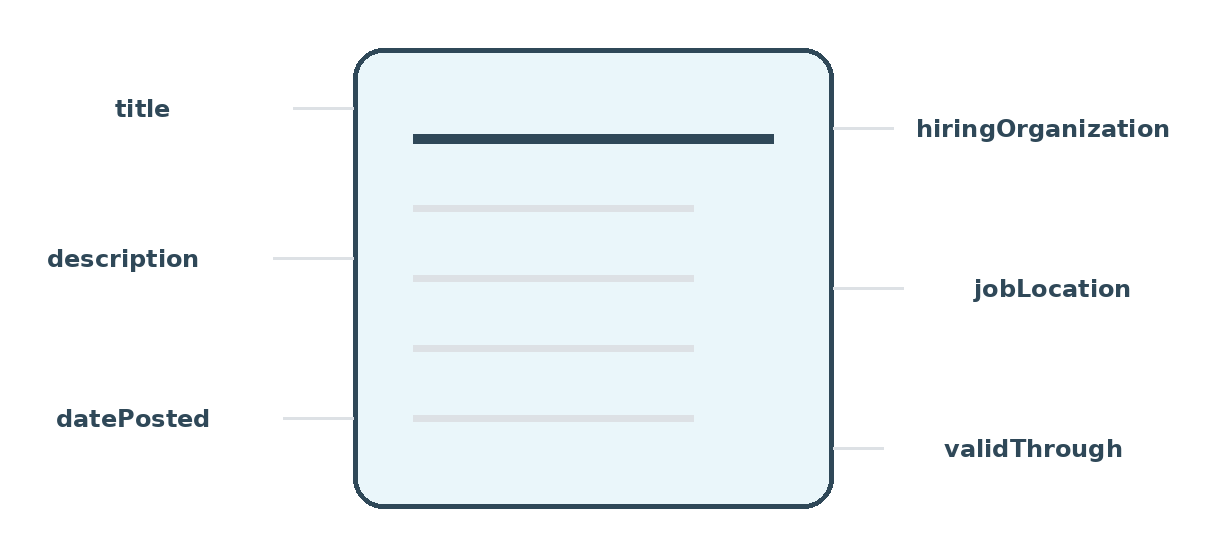
| Item | Needed? | Note |
|---|---|---|
title | Required | The job title only. No location, no level codes, no company name |
description | Required | The full description. Must match what people can see on the page |
datePosted | Required | Do not re-date an old job to look fresh |
hiringOrganization | Required | The employer, not the agency |
jobLocation | Required | Leave out and use the remote setting for fully remote jobs |
validThrough | Recommended | Stops old listings hanging around |
baseSalary | Recommended | Improves clicks, and increasingly required by law anyway |
employmentType | Recommended | Full-time, contract, and so on |
What gets a site excluded
- The page must be reachable — not behind a login, not blocked, and not built so that a search engine cannot read it.
- The hidden data must match what people see. Marking up content the visitor cannot see is a violation.
- Remove or expire filled jobs. Listings that outlive the job are the most common reason a site loses eligibility, and the top candidate complaint.
- One page per job. A single page listing twelve jobs cannot be marked up properly.
- Keep each job at the same web address. Reposting the same job at a new address every quarter throws away whatever ranking it had.
Application forms
Every field costs you candidates, and it costs you most among people applying on a phone during a break.
- Ask only what you need to make the screening decision. Everything else can wait.
- No account creation before applying.
- Do not make people retype a CV you just read automatically. This is the most resented thing in online applications and it is entirely avoidable.
- Keep diversity questions optional, clearly separate, and explain what they are for and who sees them.
Making it usable for everyone
A careers site that cannot be used with a keyboard or a screen reader stops disabled candidates applying at all — and in many countries that is unlawful as well as wrong.
The basics: real labels on form fields, a visible outline showing where you are when tabbing, enough colour contrast, headings in order, no time limits on forms, and never using colour alone to carry meaning.
Test it using only the keyboard. Five minutes, and it finds most of the problems.
Check this today
Run one of your live job pages through a structured data testing tool, then try applying to your own job on a phone, all the way to the end. Most teams find something in the first three minutes.